School fee management software that keeps the books straight
Aurora's fee screens are built for the clerk with a parent at the window, and for the principal who wants to know the school's money without asking anyone to prepare it.
At the counter
A counter built for queues
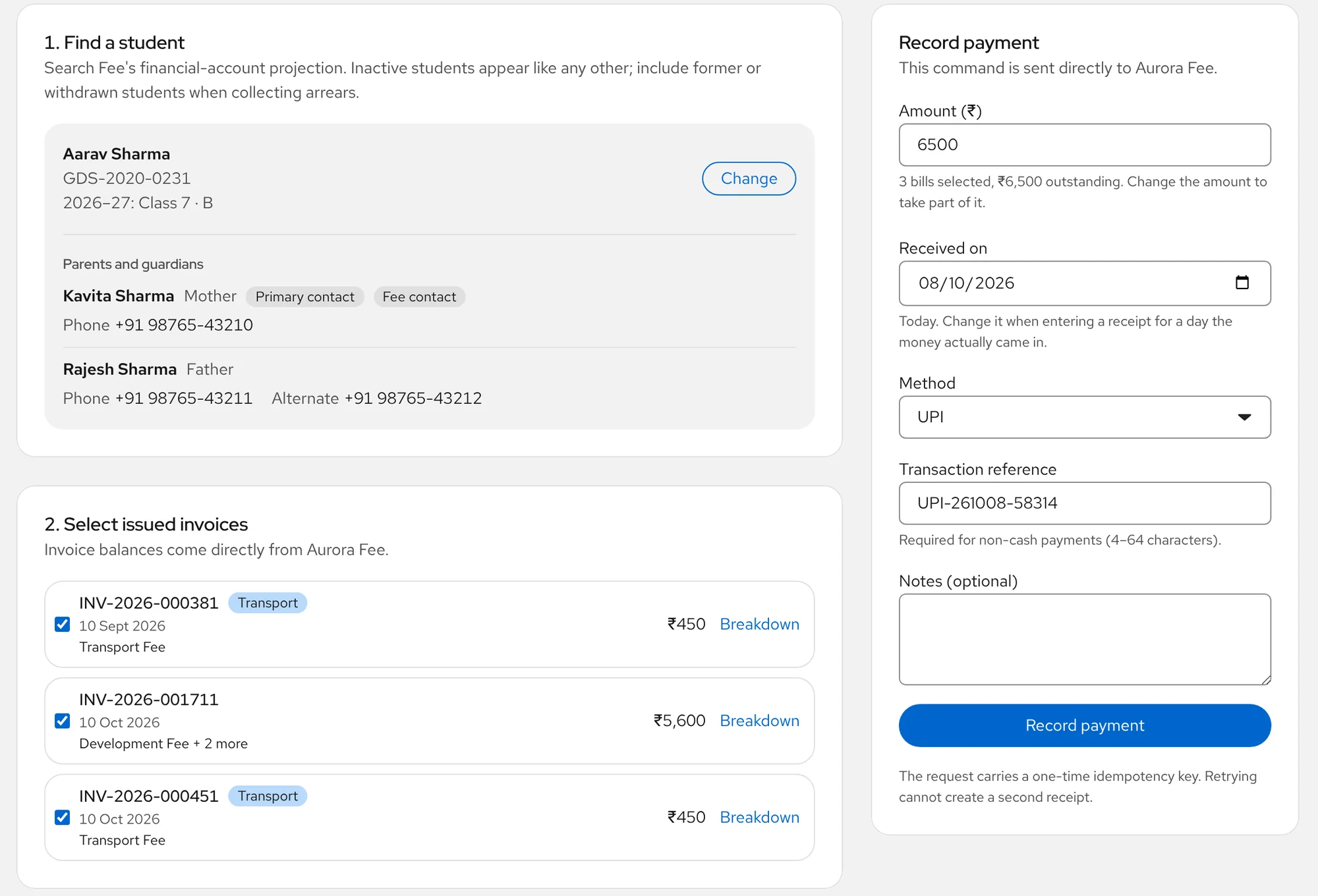
Most receipts are written in the first ten days of a term, with a queue behind the parent. The counter needs the fewest clicks, a clear receipt every time, and a screen that runs on the shared office computer.
- Find the student, take the payment, issue the receipt
- UPI, cash, cheque or bank, with a reference for non-cash payments
- Receipts are numbered per school and recorded in one ledger
- Corrections are made with credit notes, never by overwriting
One ledger
Know exactly what has been collected, and what hasn't
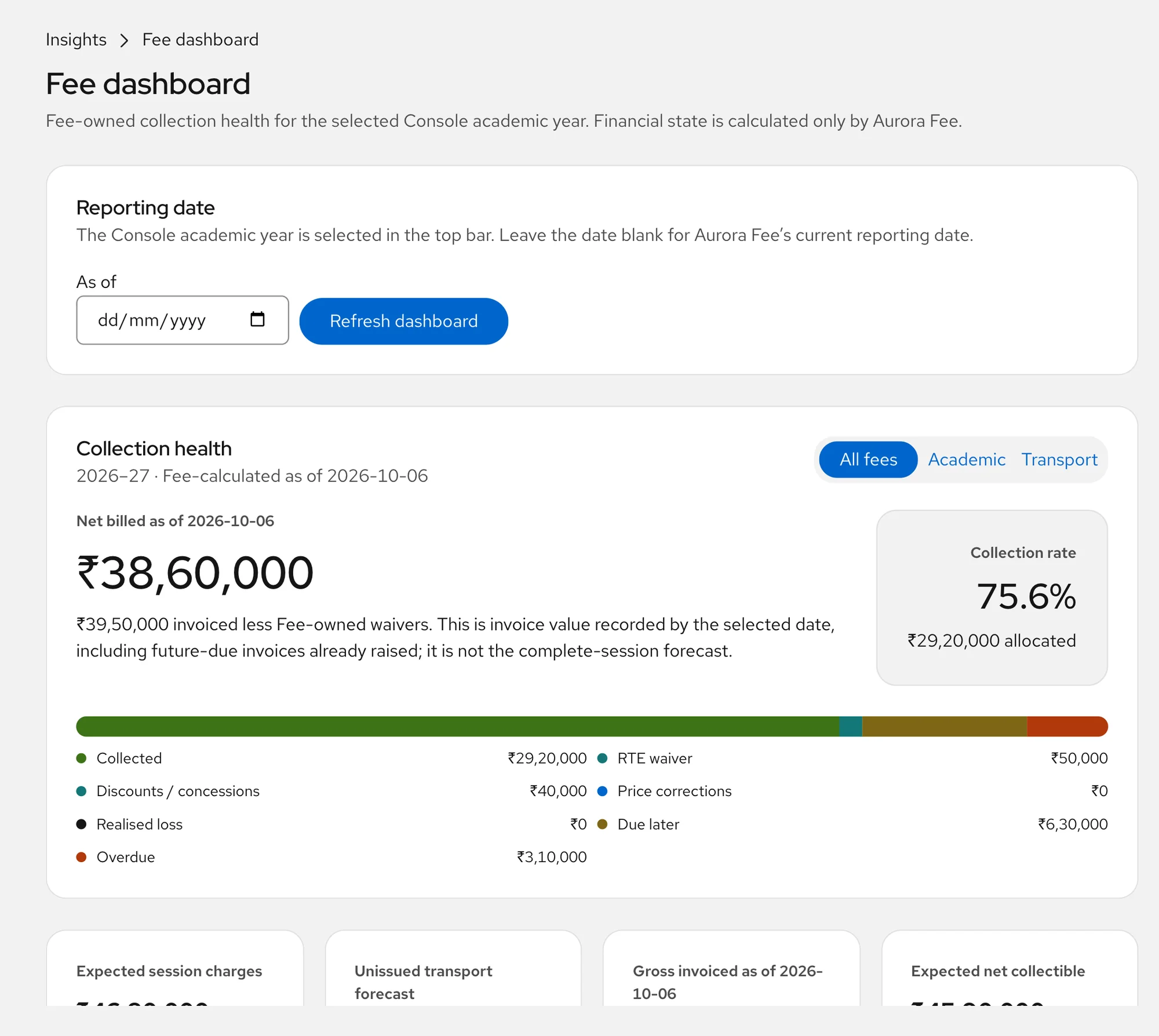
Fee owns the money and every other screen reads from it, so a balance is never recomputed in a second place and two reports cannot disagree.
- Billed, collected, outstanding and overdue, split into academic and transport
- Invoices, payments and credit notes live together
- Fee heads such as tuition are labels; amounts live in each class's structure, month by month
- A school-wide fee dashboard the principal can open without asking a clerk
Dues and reports
Who owes what, oldest dues first
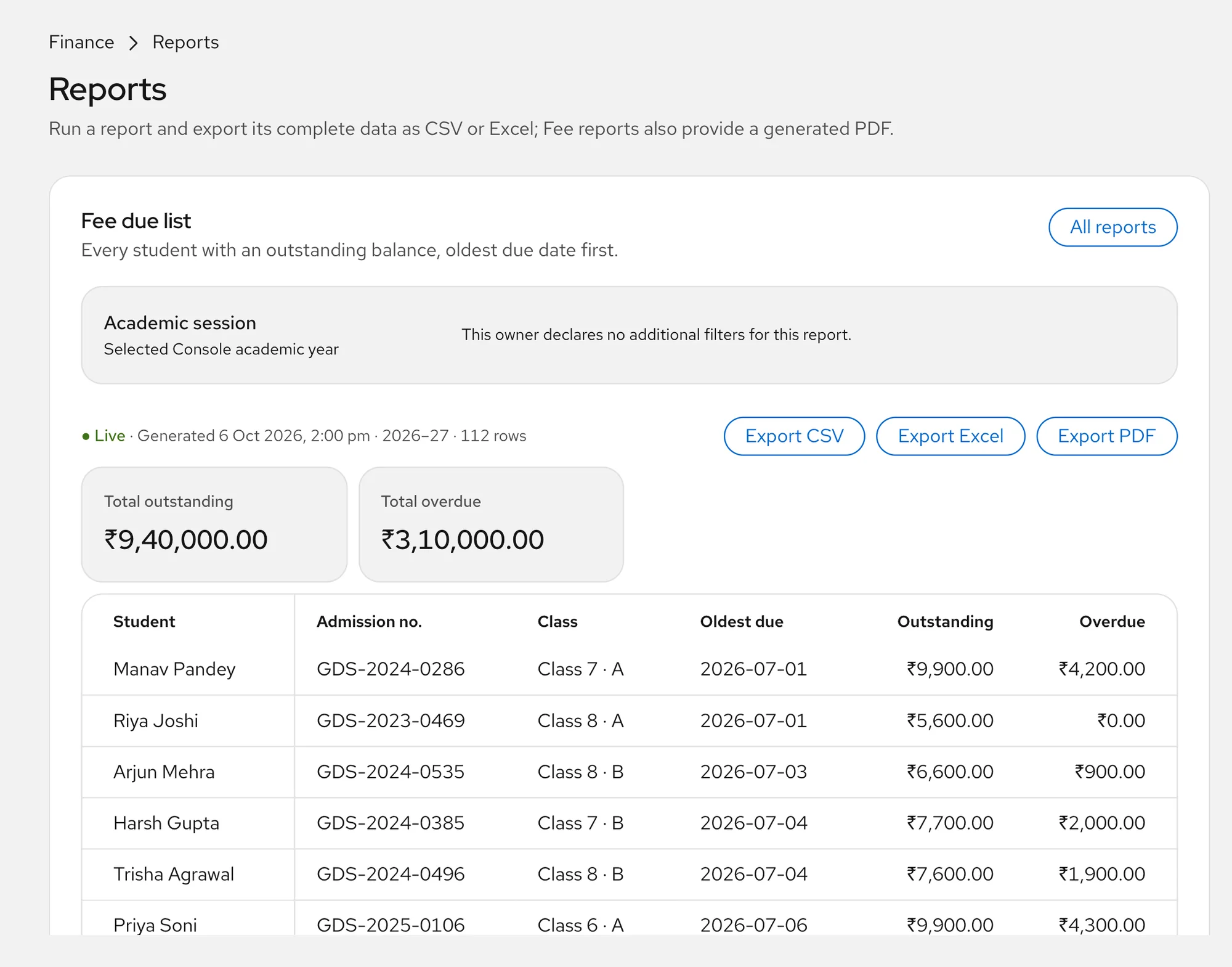
The fee due list shows every student with an outstanding balance, oldest due date first. Take it away as an Excel sheet, CSV or an A4 PDF for the follow-up desk.
- Fee due list, with total outstanding and total overdue
- Collection register: every receipt in a date range
- Month-wise and head-wise collection, billed against collected
- Receivable aging: how long money has been owed
Concessions
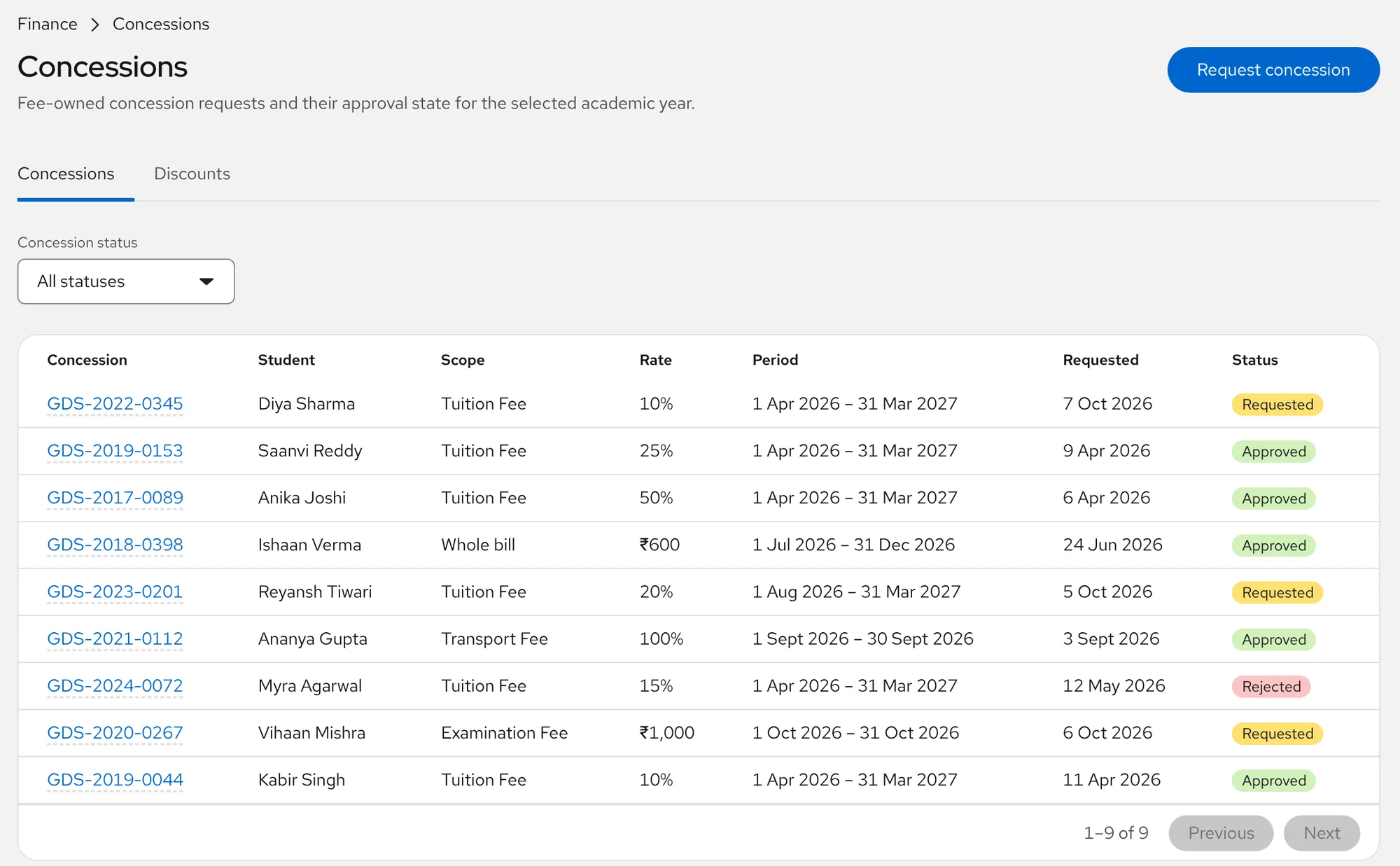
Concessions, including siblings, with an audit trail
Schools decide what each child pays. Aurora applies a concession as a percentage or a fixed amount, to the whole bill or a single head, and requests wait for the right person to approve them.
- Link siblings once, only when the school verifies them
- Apply one audited concession across every verified sibling's invoices in a single step
- Counter discounts, RTE and approved concessions are kept apart in reports
- Discounts are credit notes, never disguised as payments
Transport
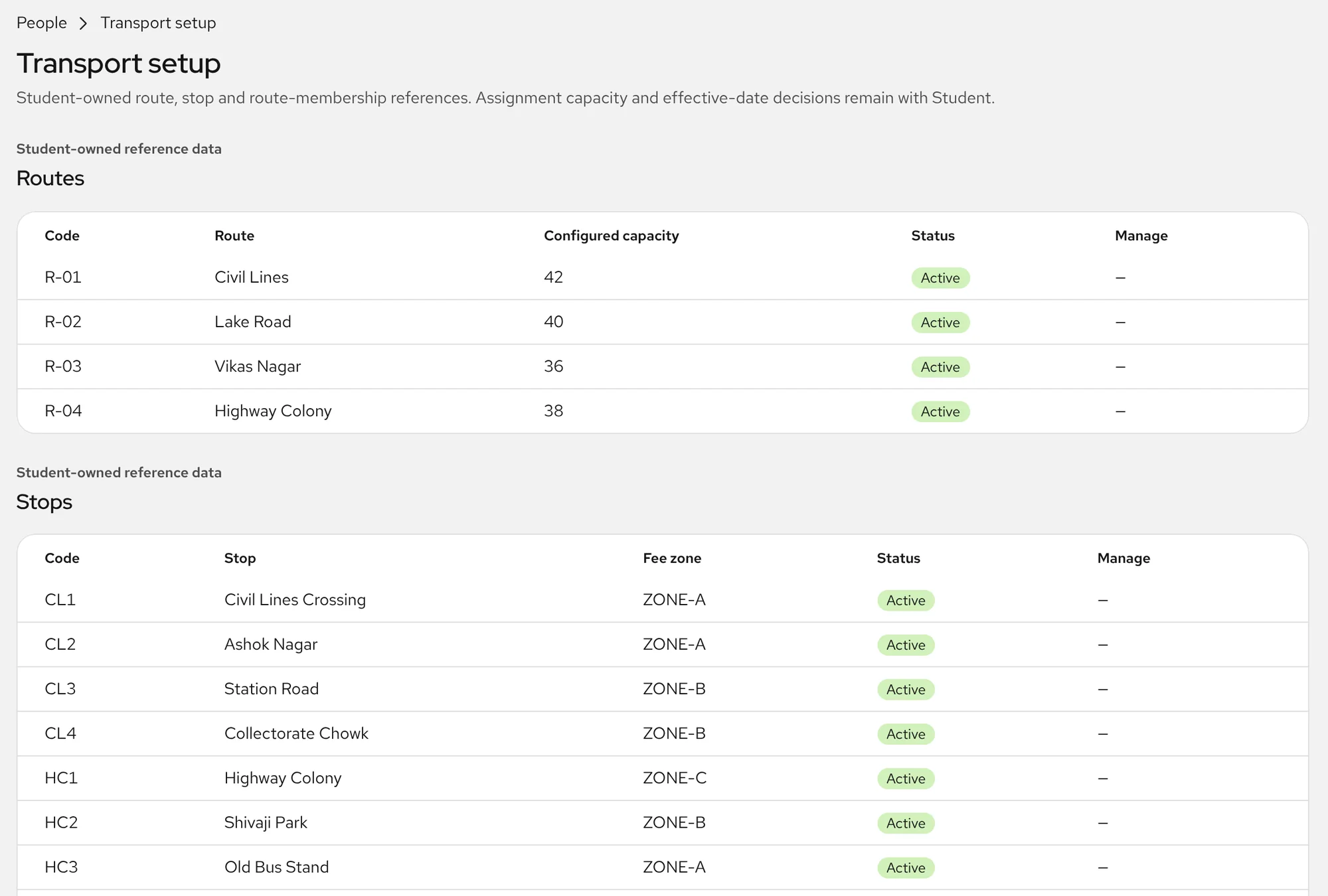
Transport billed for the months a child rides
Many children start the bus in July, stop in October and start again in January. Aurora bills transport month by month, so the bill matches the ride.
- Routes, stops and fare zones
- The fare zone is recorded when the child is assigned, so re-mapping a stop later never rewrites the past
- Route changes keep their history
- Transport is billed through the same ledger as tuition
For the principal
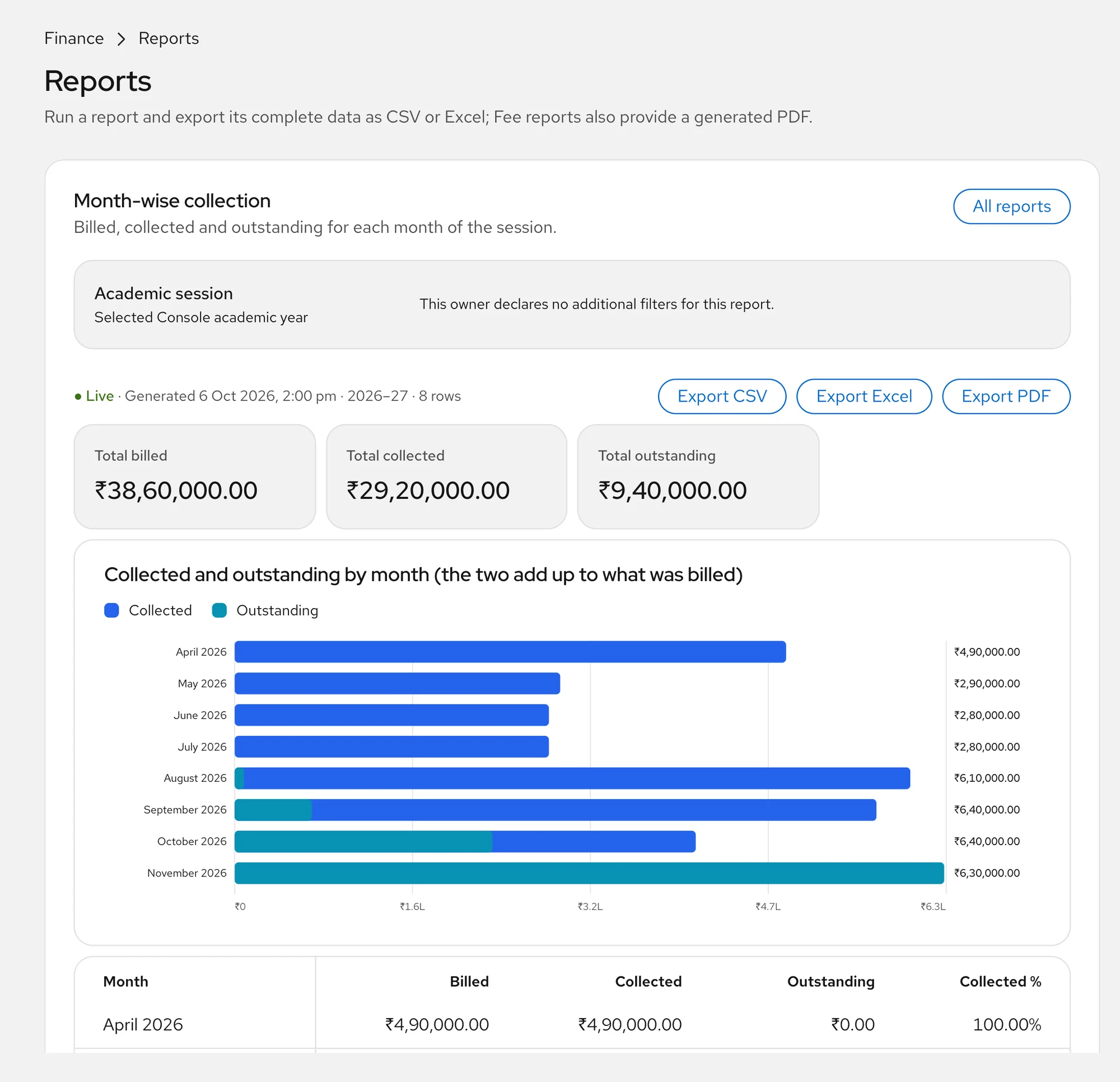
Month by month, billed against collected
The month-wise collection report shows what was billed and what has come in for every month of the session, with a chart the principal can read at a glance.
- Collected and outstanding, month by month
- Totals calculated by Fee, not by the screen
- Download as Excel, CSV or PDF
Mid-year changes Built, rolling out
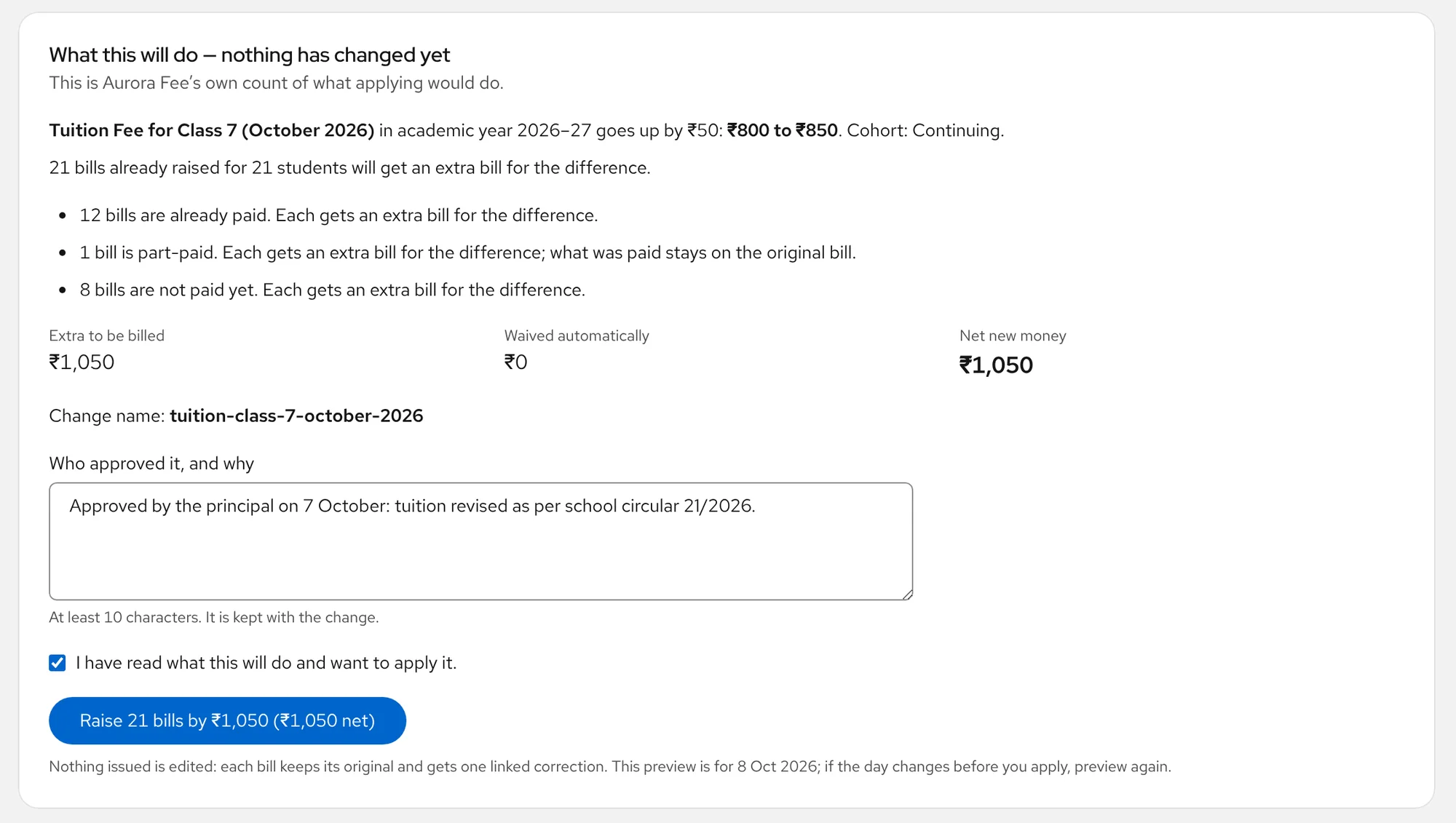
Change a fee in the middle of the year, with the preview first
Class fees, admission fees and transport fares change in one place, and you always see what a change will do before it is applied.
- Which bills it touches, how many are unpaid, part-paid or paid, and the amount
- Issued bills are never rewritten: an increase becomes an extra bill, a decrease becomes a credit
- Applying needs a reason, and is refused if anything changed since the preview
- Afterwards each bill is checked against the new price, and History keeps every change
What is not here yet
Fee reminders to parents on WhatsApp and SMS are designed and next on our list. They will go out only after your office approves them. Online payment by parents is not part of Aurora today.
Questions
Questions, answered.
Can fee software handle sibling discounts?
Yes. Aurora links siblings only when the school verifies them, then applies one audited concession across all of their invoices, as a percentage or a fixed amount, to the whole bill or a single head.
Does it bill school transport month by month?
Yes. Transport is billed by month, so a child who rides for a few months and stops is billed correctly, and route changes keep their history.
Can we see dues by class and by month?
Yes. The fee due list, month-wise collection and head-wise collection are in the report library, and every report exports to Excel, CSV and PDF.
Where is our fee data kept?
On Aurora's cloud servers, in an environment kept for your school alone. It is never shared with another school and it is not stored on the school's computers.
Does it send WhatsApp fee reminders?
Not yet. Messages to parents are designed and next on our list. They will go out only after your office approves them.
What does it cost?
We quote in writing, per school, after a demo where we learn your size. There is no price list to decode.
Ready to run your school with less paperwork?
See how Aurora can fit your existing school workflow. Book a free demo and we will show it with your own fee heads, classes and questions.