School owner or director
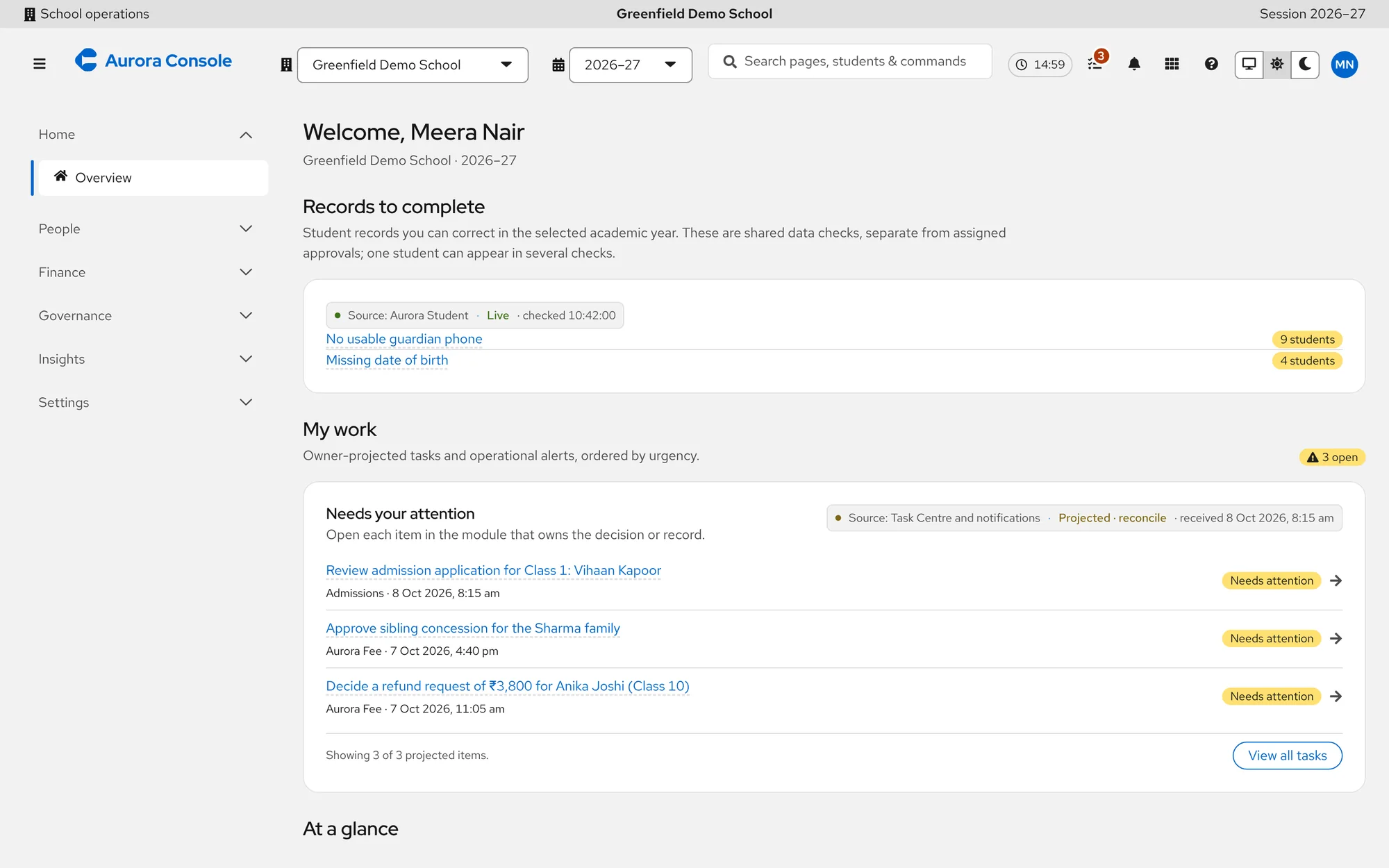
See collections, dues and admissions at a glance, and approve what needs you.
Built for Indian schools. In use at a CBSE school today.
Fees, students, admissions, transport and reports in one system. Your staff stop copying between registers and Excel, and you see where the school stands without asking five people.
A feature reaches other schools only after it has worked in one.

Akshararambh Public School
CBSE, Varanasi
In use todayYour school
Book a free demoSound familiar?
Most school offices work from the same handful of registers, Excel files and memories. It works, until the month ends.
Aurora brings it all together, with one record behind every screen.
See how it worksFor owners and principals
Open Aurora and see where the school stands: students on roll, what has been collected and what is outstanding, new admissions, and the items waiting for your approval.
Fee management
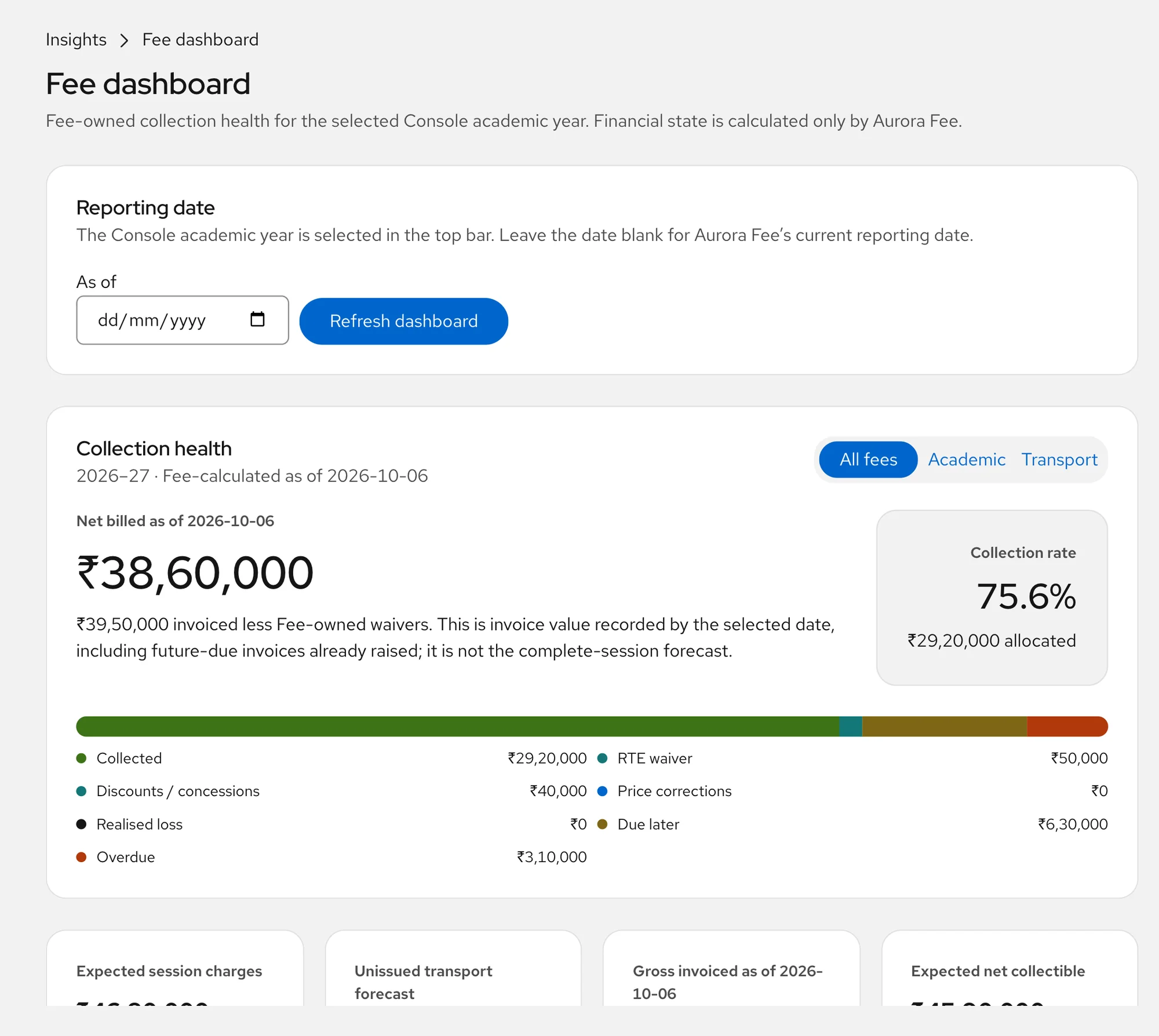
The clerk collects at the counter and the receipt prints. The same ledger feeds your reports, so the accountant and the principal never disagree.
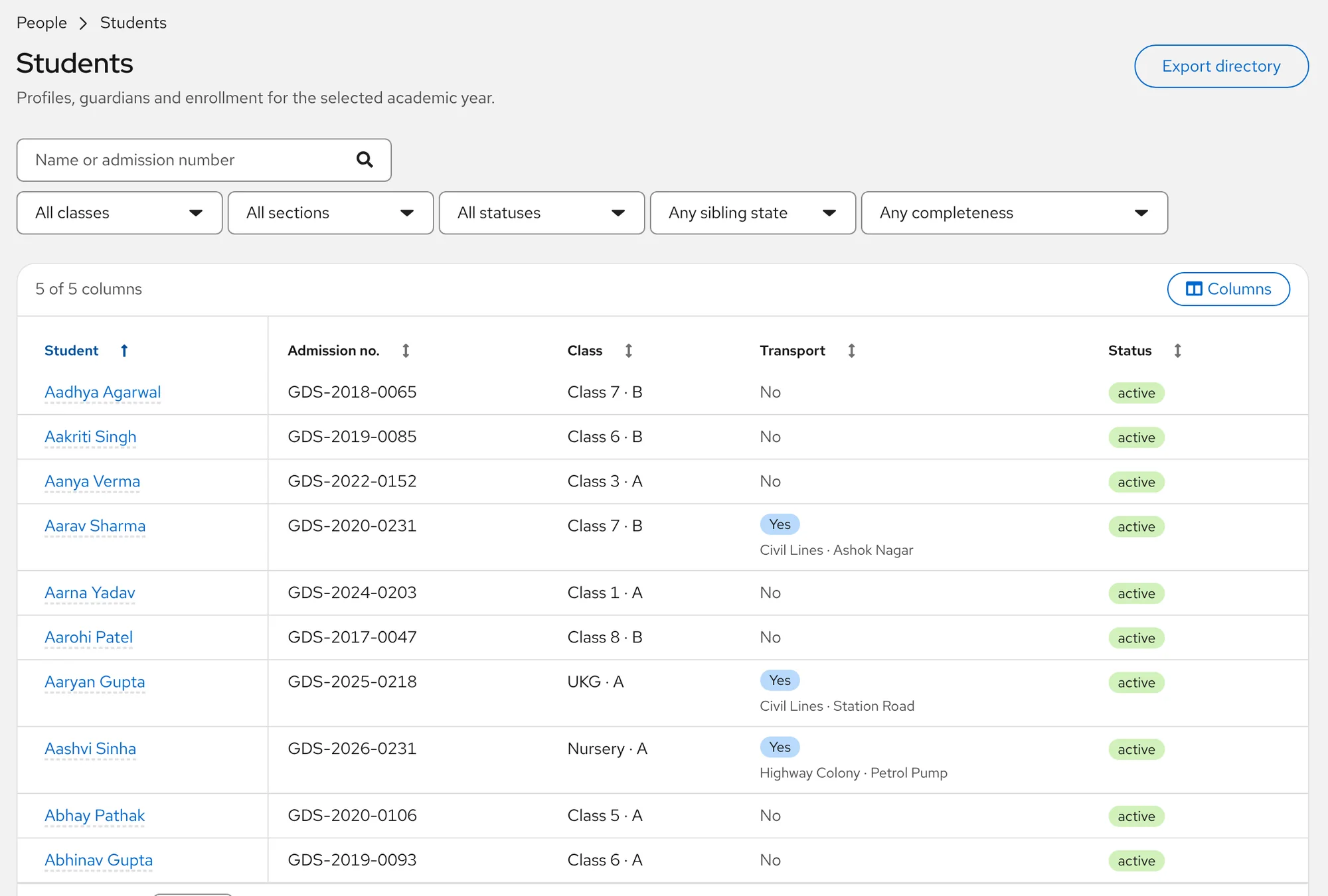
Student management
Class, guardians, admission number, transport and documents live in one profile. Siblings are linked once the school verifies them, so a family is one family everywhere.
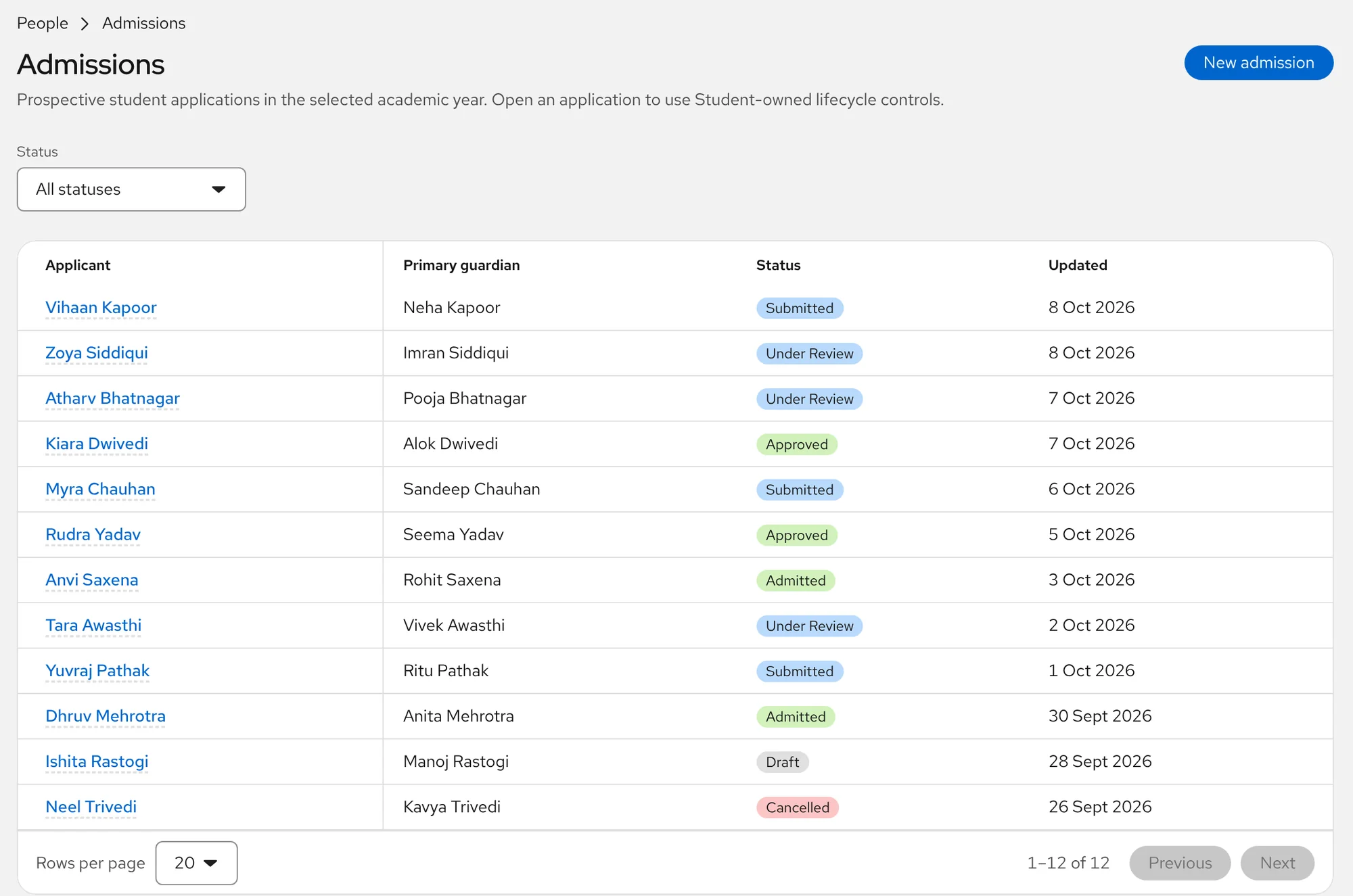
Admissions to results
An application becomes a student with an admission number, and Fee picks the student up from there. At the end of term, marks go in once and the A4 marksheet follows.
Rolling out next
Today every answer is one click away in the report library: dues, collections, class strength, guardian gaps, riders by route. Next, you will ask in plain words, and Aurora will prepare the answer and wait for your approval before it does anything.
The assistants are not built yet. The library, approvals and audit trail they will rely on are in use.
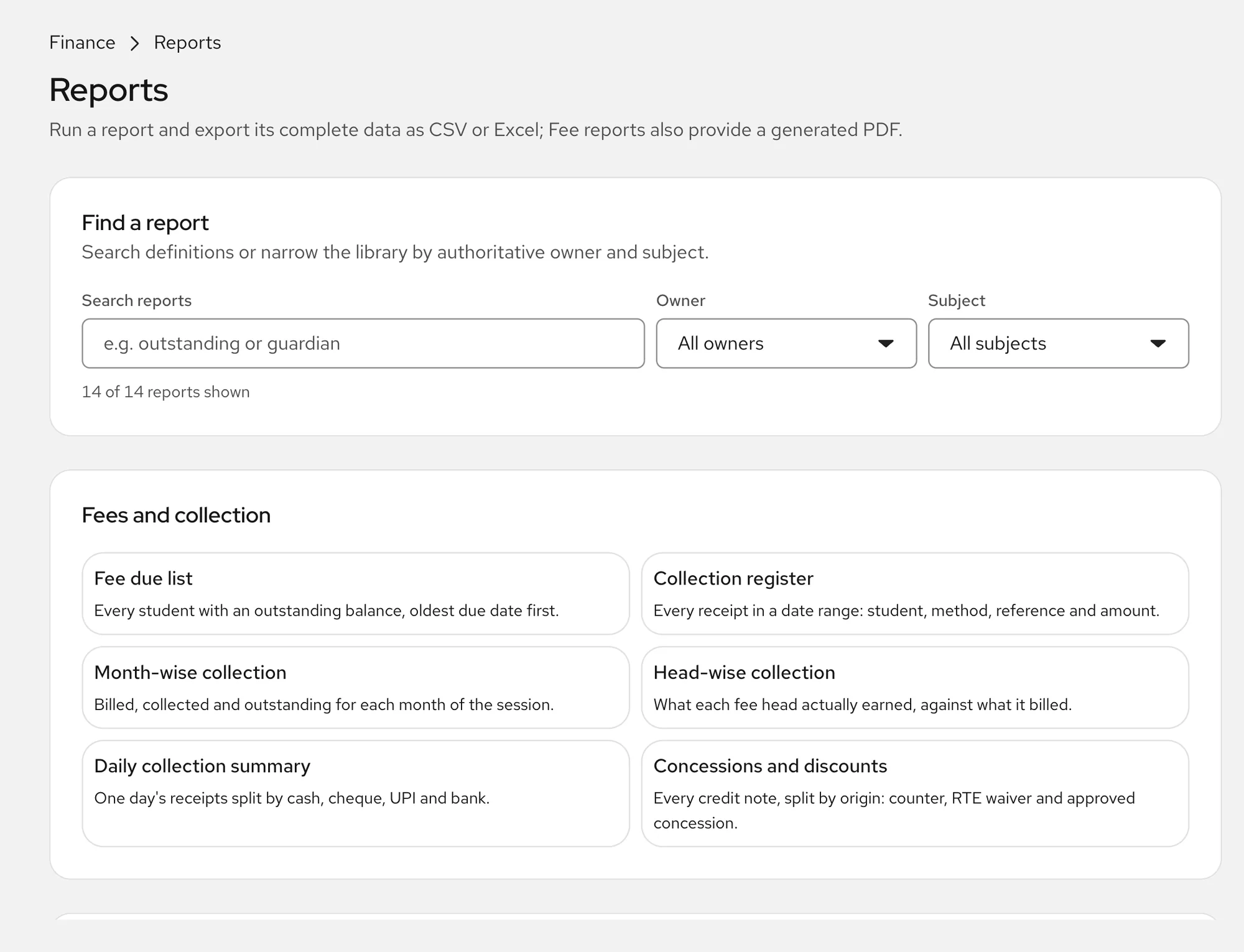
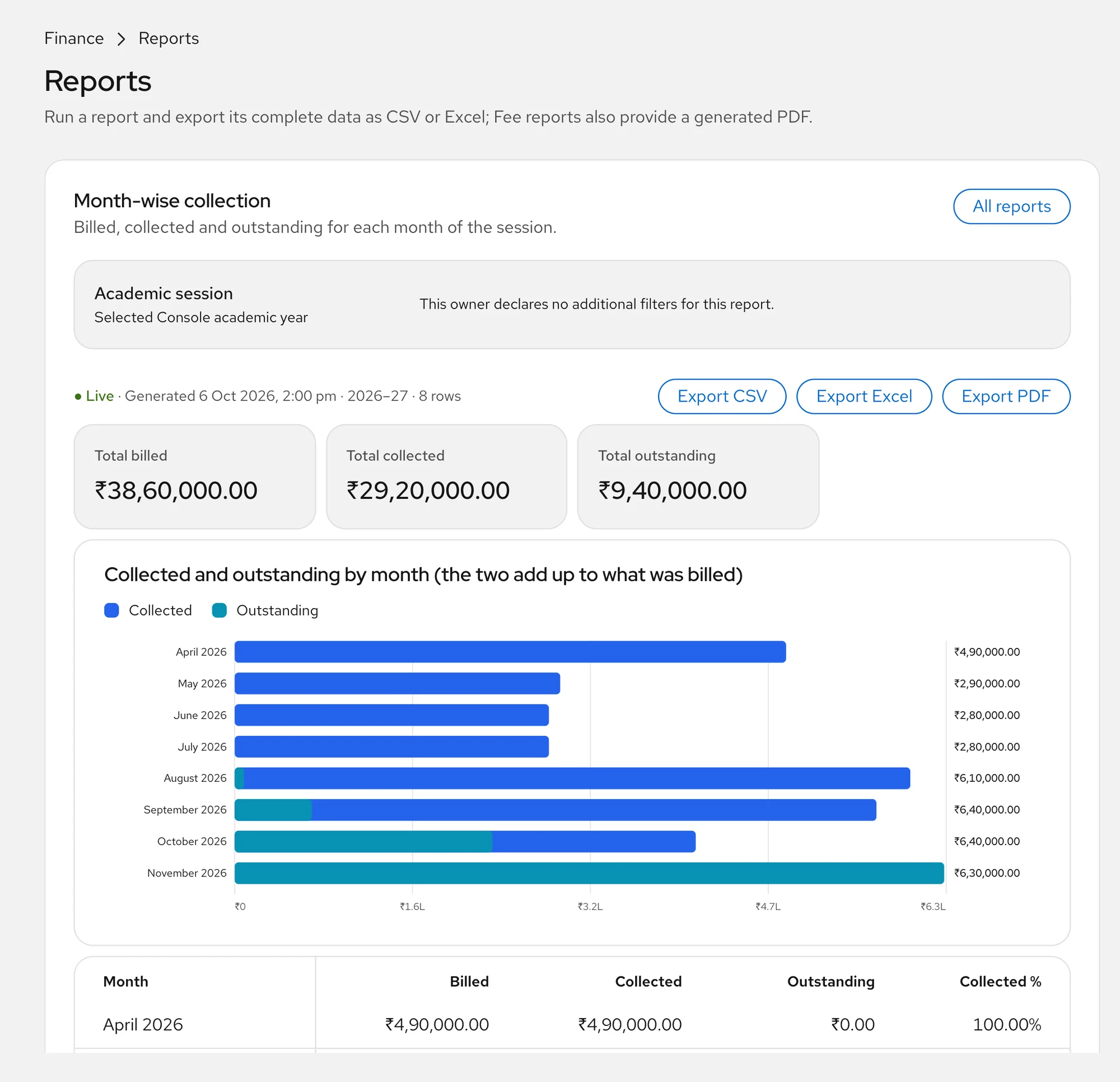
Reports
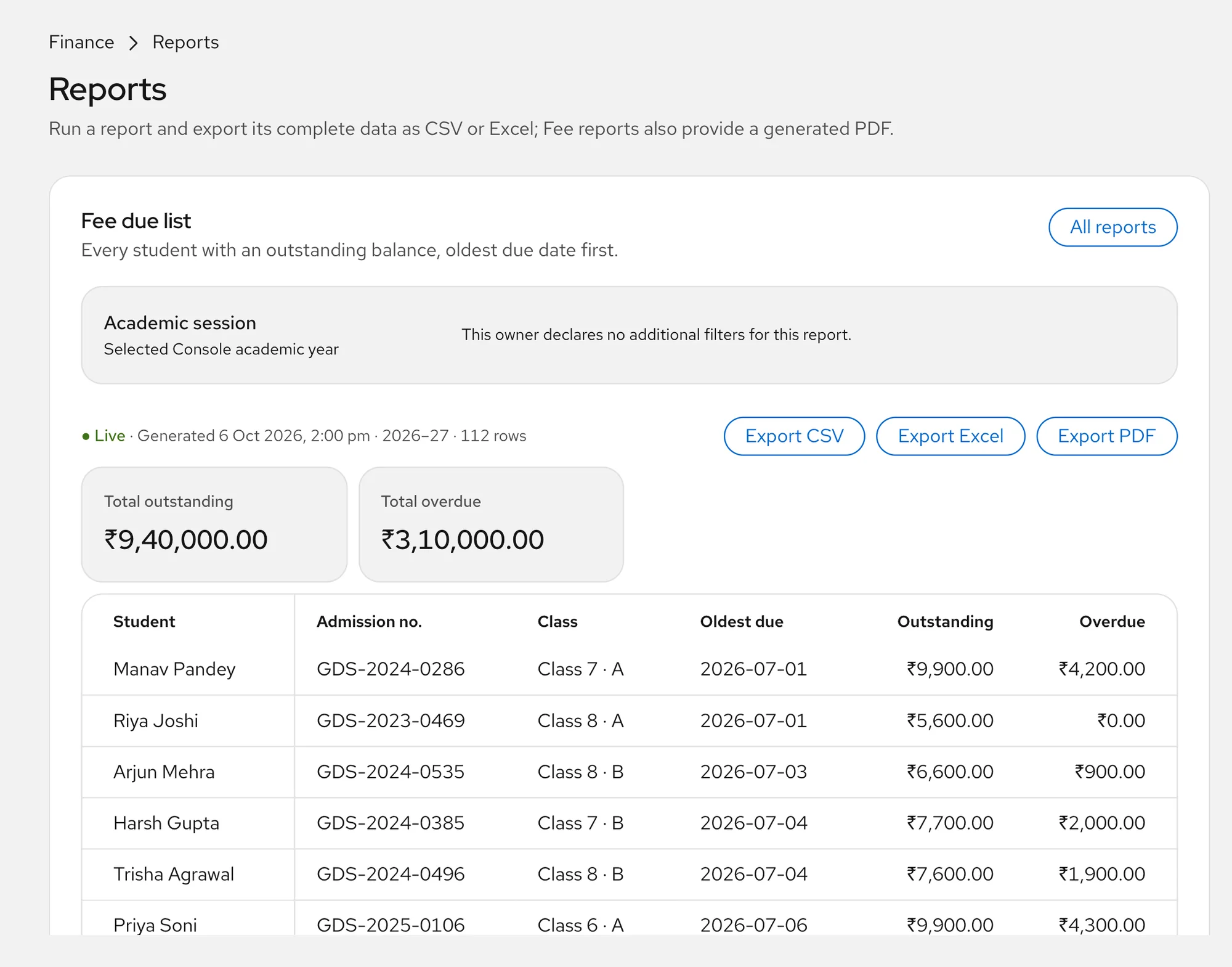
Ready-made reports for fees, students, admissions and transport, grouped the way a school thinks. Read them on screen, or take them away as an Excel sheet, CSV or A4 PDF.
Built for the school office
See collections, dues and admissions at a glance, and approve what needs you.
One view of students, classes and fees, with a record of every approval.
Counter collection, receipts, concessions, refunds and every fee report.
Admissions, student records, guardians and families, found in seconds.
Aurora is used by the school office today. Teacher and parent screens are not part of the Console yet, and we would rather tell you now than in the demo.
Security and trust
You are trusting us with children's records. Here is what that means in practice.
Each school's data lives in its own environment on Aurora's servers. It is never shared with another school.
Administrator, Principal and Accountant roles, checked on the server every time, not only on screen.
Financial changes are written to an audit history that cannot be edited afterwards.
Backups are created with your school and checked by restoring them, not just by taking them.
Updates are signed and installed one school at a time, so a change never reaches you untested.
No certifications are claimed and no uptime is promised. Read the details
Getting started
Moving to new software is the part schools worry about most. We do it with you, in checked steps.
A free demo using your fee heads, classes and the reports you need.
Your student and fee records come across in batches. Bad rows are set aside and totals are reconciled.
Classes and sections, fee structures, transport and the people who will use it.
Your office starts on the real screens. The timeline is agreed with you in writing.
Questions
Aurora is school management software for Indian schools. It brings fees, students and families, admissions, transport and reports into one system, so the office works from one record and the principal can see where the school stands.
Yes. You set up fee heads and class-wise fee structures by month, collect at the counter with printed receipts, apply sibling and approved concessions, bill transport month by month, and see dues, collections and refunds in reports.
Yes, with our team. Records come across in checked batches: rows that do not pass are set aside, and totals are reconciled before you go live. We did this for our first school. We do not offer a self-service upload today.
Yes. Aurora has Administrator, Principal and Accountant roles, and permissions are checked on the server every time, not only on screen.
Not today. Aurora covers fees, students and families, admissions, transport and reports. Results are the Academics add-on, built and rolling out. The approval screens for parent messages on WhatsApp and SMS are built, but nothing is sent to parents yet. Sending is the next release. Attendance, timetables and staff management are not part of Aurora, and we will say so plainly in your demo.
Each school's data is hosted in the cloud on Aurora's servers, in an environment of its own that is never shared with another school. Access is role based, financial changes leave an audit record, and backups are tested by restoring them. We claim no certifications.
Aurora is built around Indian school practice and is in use at a CBSE school. Fees, fee heads by month, RTE and transport are common to all boards. Tell us your board in the demo and we will show how it fits.
Fill in the short demo form and our team will contact you. You can also write to info@auroraschools.in. The demo is free and uses your own fee heads and questions.
See how Aurora can fit your existing school workflow. Book a free demo and we will show it with your own fee heads, classes and questions.